Compliance Form Management
Build custom forms in minutes, no coding required. Deploy to web and mobile, connect automated workflows, and get real-time notifications the moment your team hits submit. It’s built for EHS, but can be used across your entire operation.
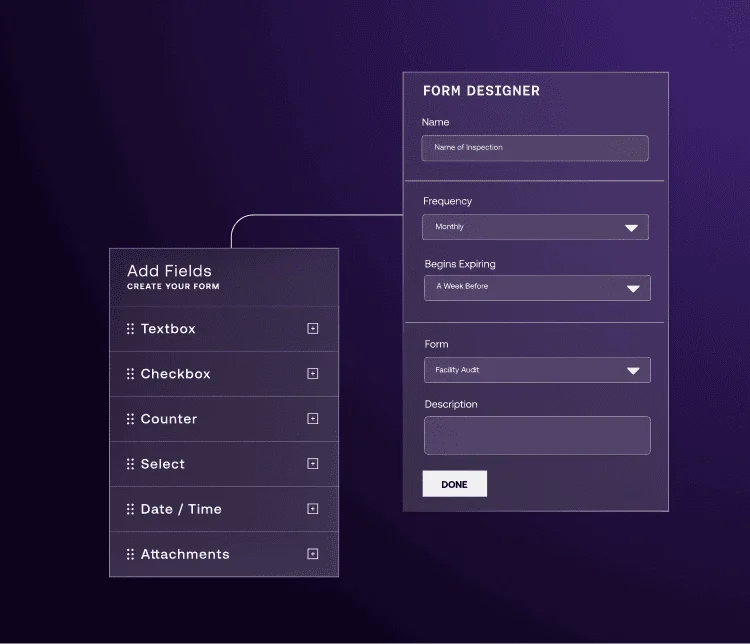
Real-Time Data Collection
When forms live in email threads and binders, submissions get missed, and audits are a scramble. There’s a better way to work.
Standardize Your Data Collection with Fewer Errors
Build Custom EHS Forms from Scratch
Customize forms to fit your business needs. Build inspections forms, near-miss and incident management forms, JSAs, and more, exactly the way your operation requires them. Drag and drop, set required questions, add conditional logic, attach documents, and change headers without writing a line of code. What takes IT weeks to do, will take you minutes.
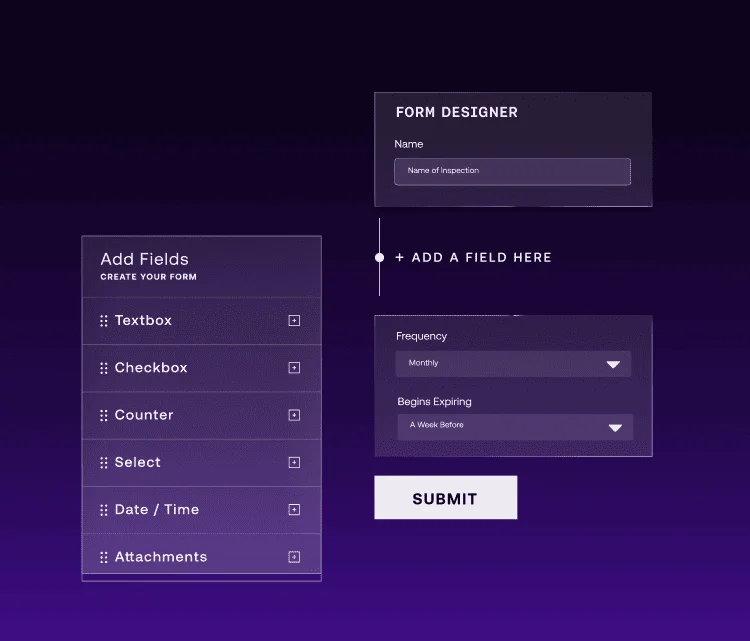
Flexible Workflow Engine
A submitted form is only the beginning. Connect any form to your existing business processes and multi-step tasks, routing to the right supervisor, trigger a corrective action, send notifications, and create an audit-ready record. Build a multi-step approval process, assign tasks to groups, and track completions, all without coding or IT.
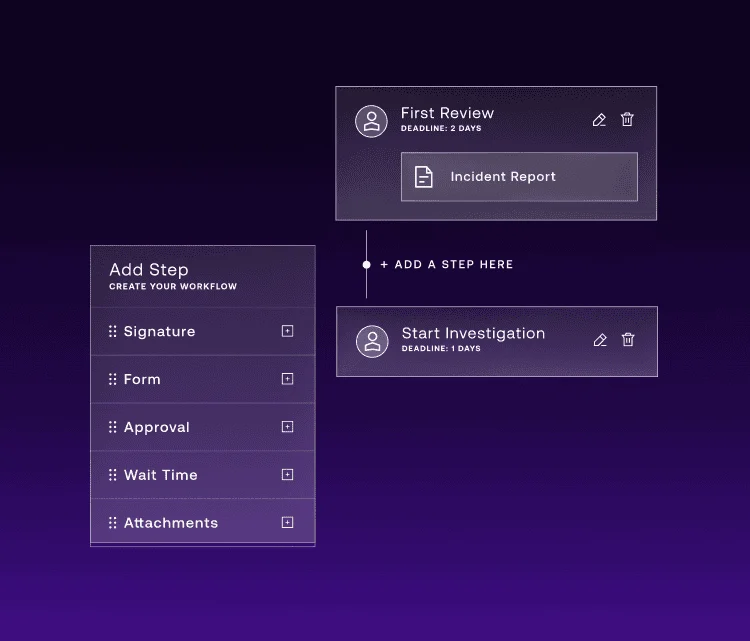
Forms Library
Start with over 50 pre-built forms that cover the most common EHS forms, ready to deploy immediately. Configure any form to fit your exact requirements.
Pre-built forms include incident and near-miss reporting, JSA and pre-task planning, equipment inspections (forklifts, ladders, fire extinguishers, vehicles, compressed gas), OSHA compliance checklists, safety observation cards, driver vehicle inspection reports, and more than 40 other additional safety and compliance forms across industries.
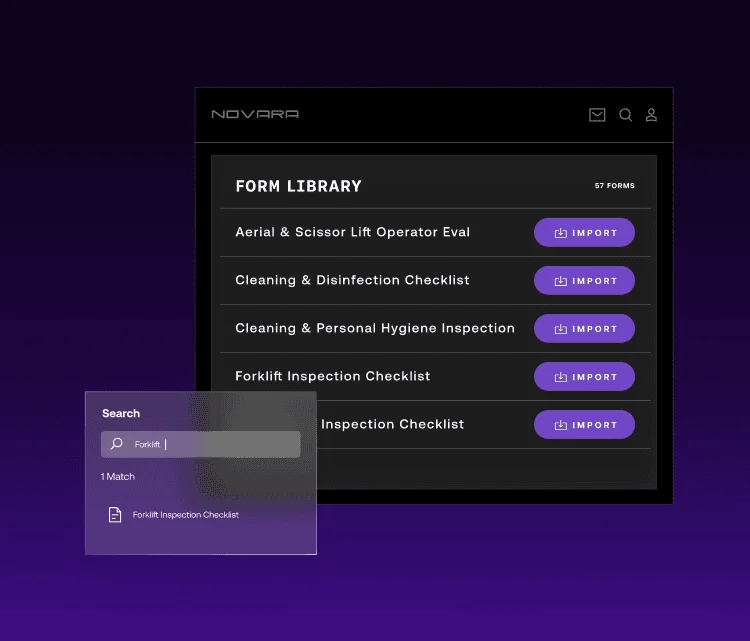
Add Notes, Attachments, Follow-Ups
Add notes and attach photos or documents within any compliance form and easily assign follow-up tasks to specific employees. Flex will instantly notify assignees through email or push notification.
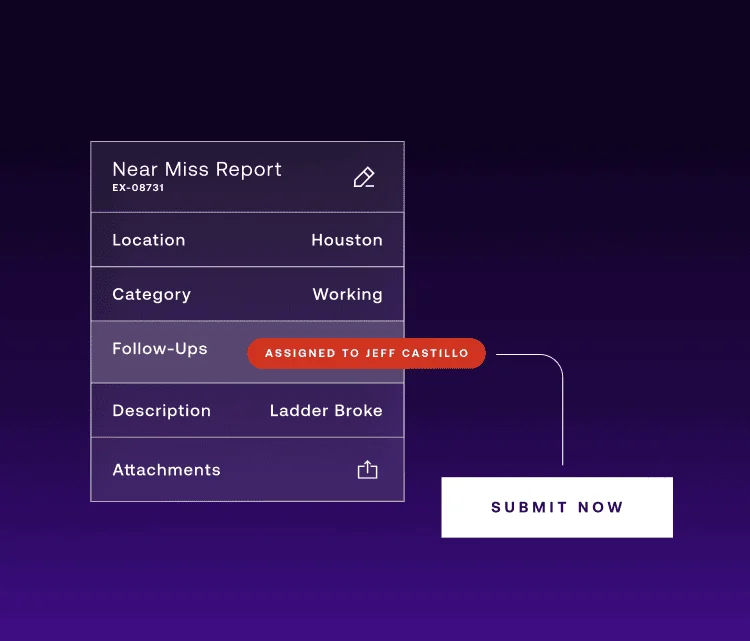
Analyze Report Responses
Every form submission flows directly into your dashboard and reports. Spot trends, track completion rates, and identify where risk is building across every site, crew or form type. Export reports to PDF or forward as an email attachment when leadership needs the data.

Novara Flex Features
Learn more about the core features of Flex that are designed to help you manage safety and operational risk in real-time, so your workforce is protected and your operations are audit-ready.
Automate workflow sequences for your EHS processes that require approvals, collaboration, and input from multiple employees.
Your data is presented in real-time, so no delay or extra steps are required to access the information.
Access reports, training management resources, and safety data from anywhere, even without Wi-Fi. Complete safety inspections on the floor; the data will sync when you’re back online.
Visit Our Resource Library for Access to More Safety & Compliance Content

Cultivating an Automated & Proactive Safety-First Culture with Flex
“I tell people all the time how great Flex is across the industry; it’s been a great, affordable, and scalable option.” – Danielle Reinhardt, Safety Administraton
Government Facilities Contractor Selects Novara Flex for User-Friendly Training and SDS Management
“The training modules are just the right length, with the right level of detail and quizzes embedded. Everything is simple, bite-sized, and right at your fingertips.” – Director of Environmental Health & Safety

Sheet Metal Business Reduces Injuries by Modernizing Its Systems
"Novara has reduced our injuries and the severity of injuries. The app provides a daily reminder about safety that keeps our people on their toes." – Jesus Miguel, Safety Director
Ranger Energy Services Recognizes the Cost Savings and Benefits of Using Novara Flex
“Last year, being able to do our onboarding training in-house saved half a million dollars. It allows us to make sure everyone is trained properly, and we can track everything for renewals and regulatory requirements. ” – Kelly Lipp, Training Manager
Alleguard Builds EHS Excellence with Novara Flex Platform
"Support I received from Novara is phenomenal, unlike most software platforms I've used. That openness to take on new ideas and say, is it something we can implement, is what sets Novara apart from its competitors." – Cory Balthrop, Director Environmental Health & Safety

"Astronomical Reduction" in Downtime for Burleson Sand Mine
"The downtime Novara has saved us is astronomical." – Jason Zemer, EHS Coordinator
Deliver EHS Programs with Less Effort
Want to see what Novara can do for you? Contact us today to get your personalized demo.